
memories on display® –
Compatible
CURA TVs, displays AND DEVICES
Compatible
CURA TVs, displays AND DEVICES
CURA works on any screen you own (or is affordable)
No proprietary hardware required. Use the TVs, tablets, and monitors you already have – or buy whatever fits your budget. From a $15 streaming stick to an 85″ TV, CURA runs on it.
From Billionaire Tech to Your Living Room
When Bill Gates built his famous mansion in the 1990s, one of the “wow” features was screens throughout the house displaying digital art. It was part of a $60+ million home with custom technology. It seemed like the future – but completely out of reach.
Today: A $30 streaming stick + any TV + CURA delivers the same experience.
Think about how surround sound transformed music from something you listen to into an environment you’re immersed in. CURA does the same for your photos and art – transforming images from something you look at into visual ambiance throughout your home.
Gallery walls for everyone. Not someday – today, with what you already own.
Your photos deserve better than sitting in your pocket. The people who share your space – family, friends, visitors – never see them. CURA puts your memories on your walls, ready to spark a conversation or bring back a moment.
Whether you’re creating a full multi-screen visual experience throughout your home, dedicating a small tablet to daily grandkid photo updates, setting up a portrait display for your photography, or turning a waiting room into a showcase – CURA’s wide range of display support gets you there at the best cost options available.
Quick Compatibility Check
| Platform | CURA App | Auto-Start | Smart Home | Video |
|---|---|---|---|---|
| Fire TV / Fire Stick | Yes | Yes | Alexa | Yes |
| Android TV / Google TV | Yes | Yes | Google Home | Yes |
| Roku TV / Stick | Yes | No | Limited | Yes |
| Apple TV | Yes | No | Siri/HomeKit | Yes |
| Fire Tablets | Yes | Yes | Alexa | Yes |
| iPad / iPhone | Yes | No | Siri | Yes |
| Android Tablets | Yes | Yes | Google Home | Yes |
| Web Browser | Yes | – | – | No |
| Samsung Tizen | Coming Soon | TBD | SmartThings | TBD |
Streaming Devices
The most flexible option – plug into any TV or monitor with HDMI. Starting at just $15.
Fire TV (Recommended for Auto-Start)
| Device | Price (US) | Price (UK) | USB Powered | Notes |
|---|---|---|---|---|
| Fire TV Stick Lite | $30 | £35 | Usually* | Best budget option |
| Fire TV Stick 4K | $50 | £60 | Usually* | 4K streaming |
| Fire TV Stick 4K Max | $60 | £70 | Usually* | Fastest, WiFi 6E |
| Fire TV Cube | $140 | £140 | No | Hands-free Alexa |
*USB power works on most TVs with 1A+ USB ports – no extra power brick needed!
Why Fire TV? Auto-starts CURA on power-on. Perfect for unattended displays.
Google TV / Android TV (Recommended for Auto-Start)
| Device | Price (US) | Price (UK) | USB Powered | Notes |
|---|---|---|---|---|
| Onn 2K Streaming Stick (Walmart) | $15 | – | Yes | Ultra budget, best value |
| Onn 4K Streaming Box (Walmart) | $20 | – | Yes | Best value 4K |
| Chromecast with Google TV HD | $30 | £30 | Fussy | Budget Google option |
| Chromecast with Google TV 4K | $50 | £60 | Fussy | Full 4K support |
| TiVo Stream 4K | $40 | £36 | Yes | Most reliable USB power |
Why Google TV? Auto-starts CURA. Deep Google Home integration. “Hey Google, open CURA.”
USB Power Tip: TiVo Stream 4K and Onn devices reliably power from your TV’s USB port – one less cable to hide!
Roku
| Device | Price (US) | Price (UK) | Notes |
|---|---|---|---|
| Roku Express | $30 | £30 | Budget option |
| Roku Streaming Stick 4K | $50 | £50 | Compact, portable |
| Roku Ultra | $100 | £100 | Best performance, Ethernet |
Note: Roku cannot auto-start apps on power-on.
Apple TV
| Device | Price (US) | Price (UK) | Notes |
|---|---|---|---|
| Apple TV 4K (64GB) | $130 | £139 | Standard |
| Apple TV 4K (128GB) | $150 | £158 | More storage, Thread/Matter |
Note: Apple TV cannot auto-start apps. Use Siri: “Hey Siri, open CURA.”
- Note: Curator tech, is not affiliated with any of the brands above –
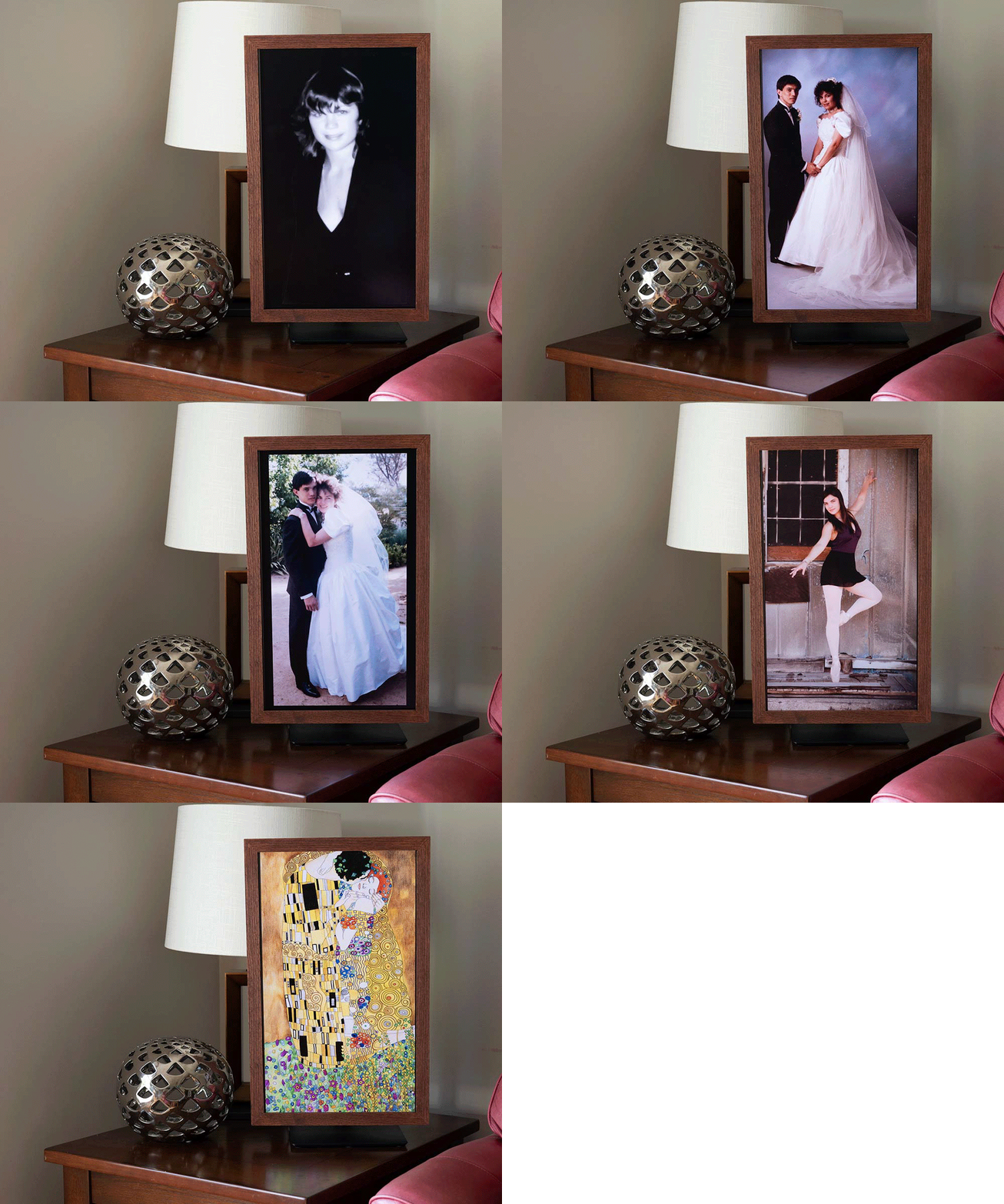
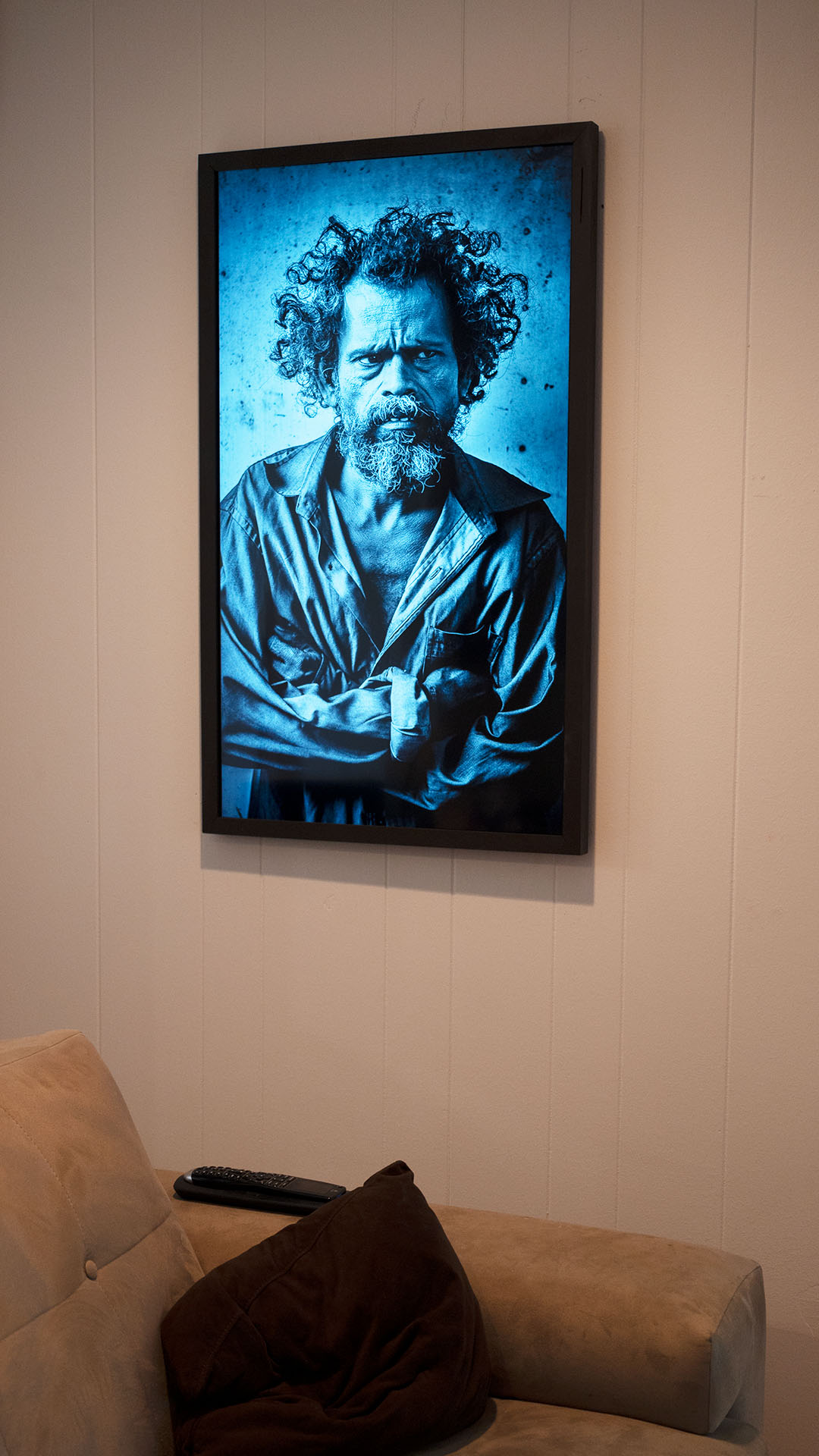
SR650 Series 24” Monitor at 90° with wood frame


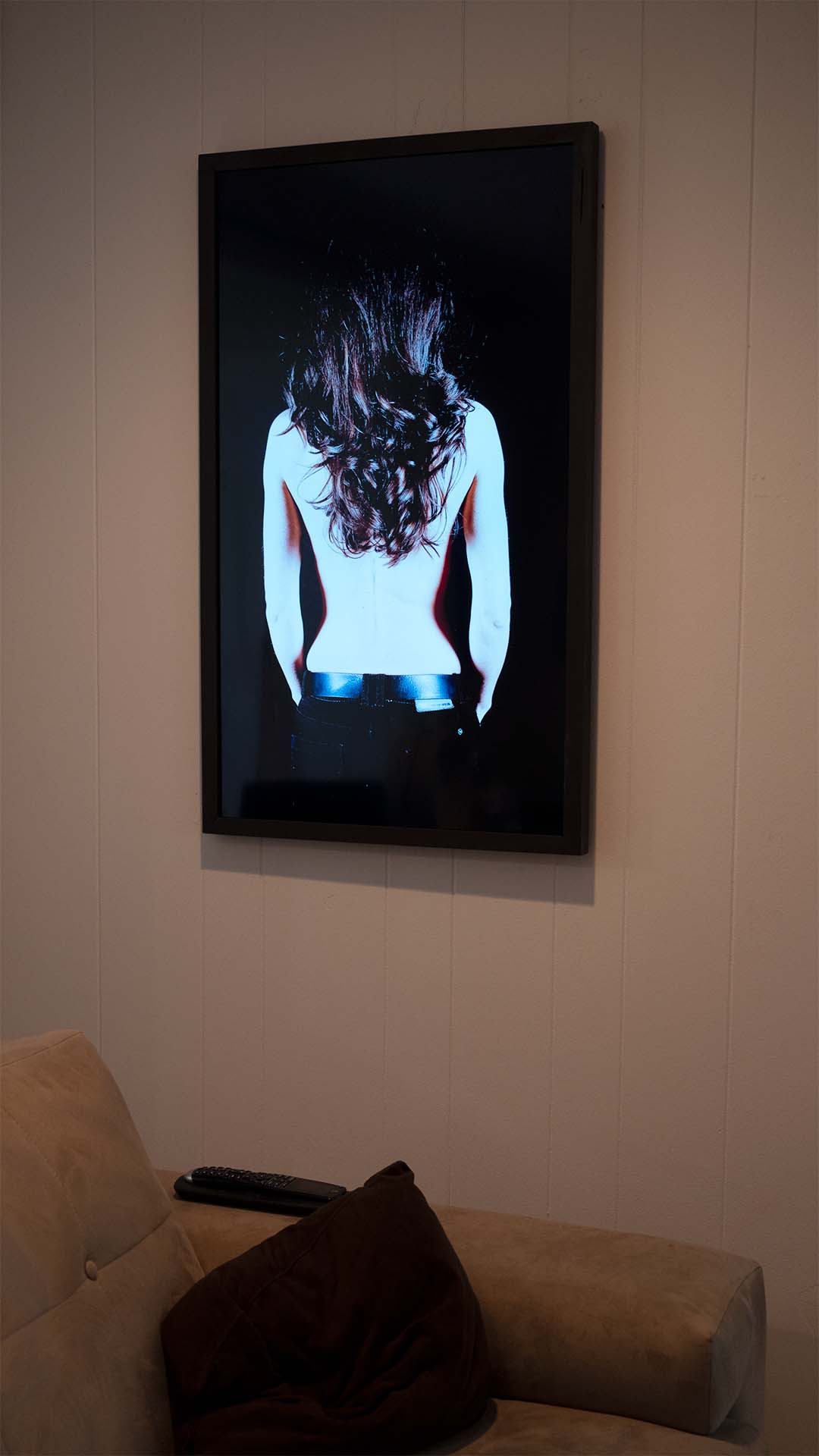
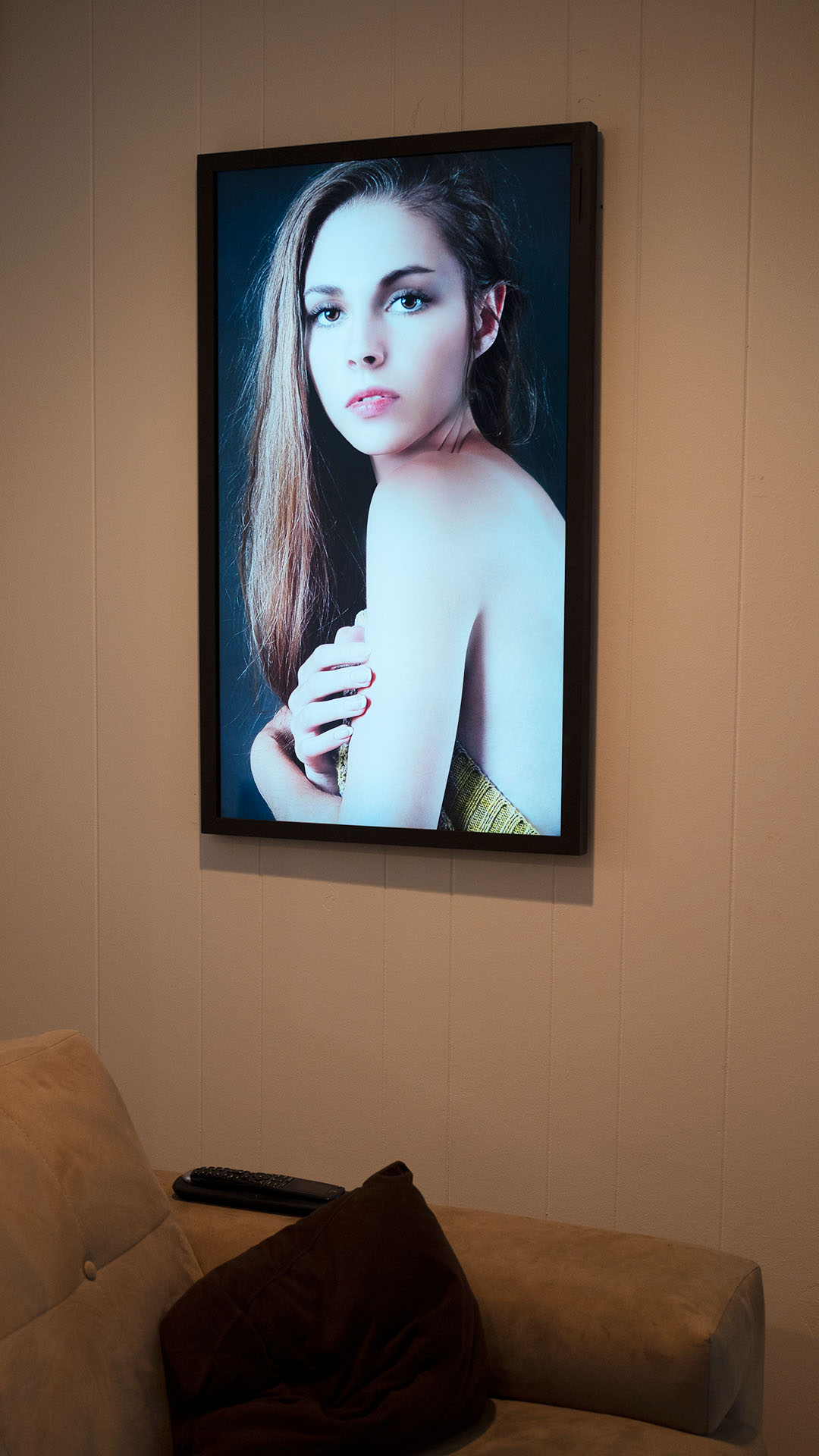
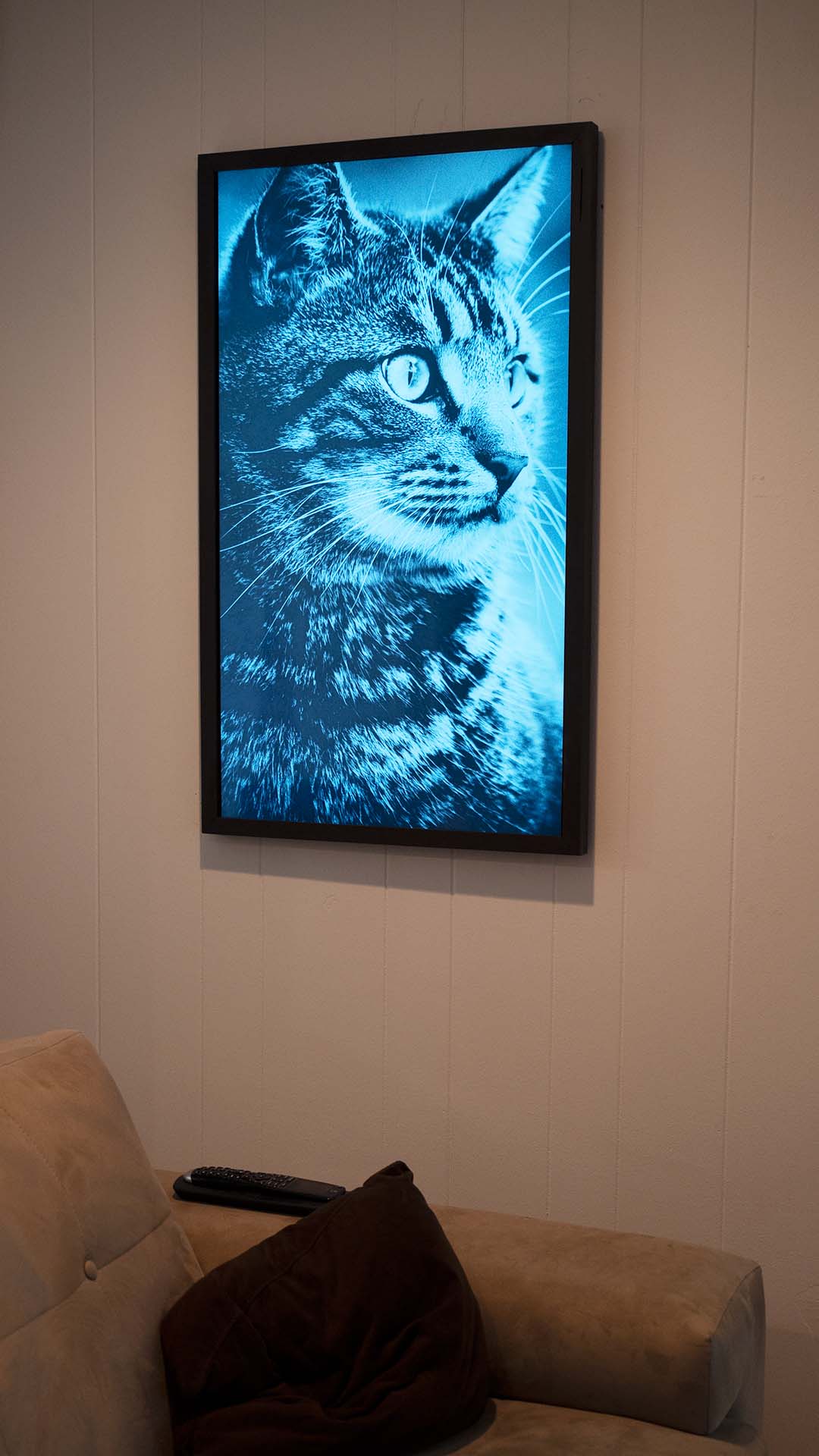
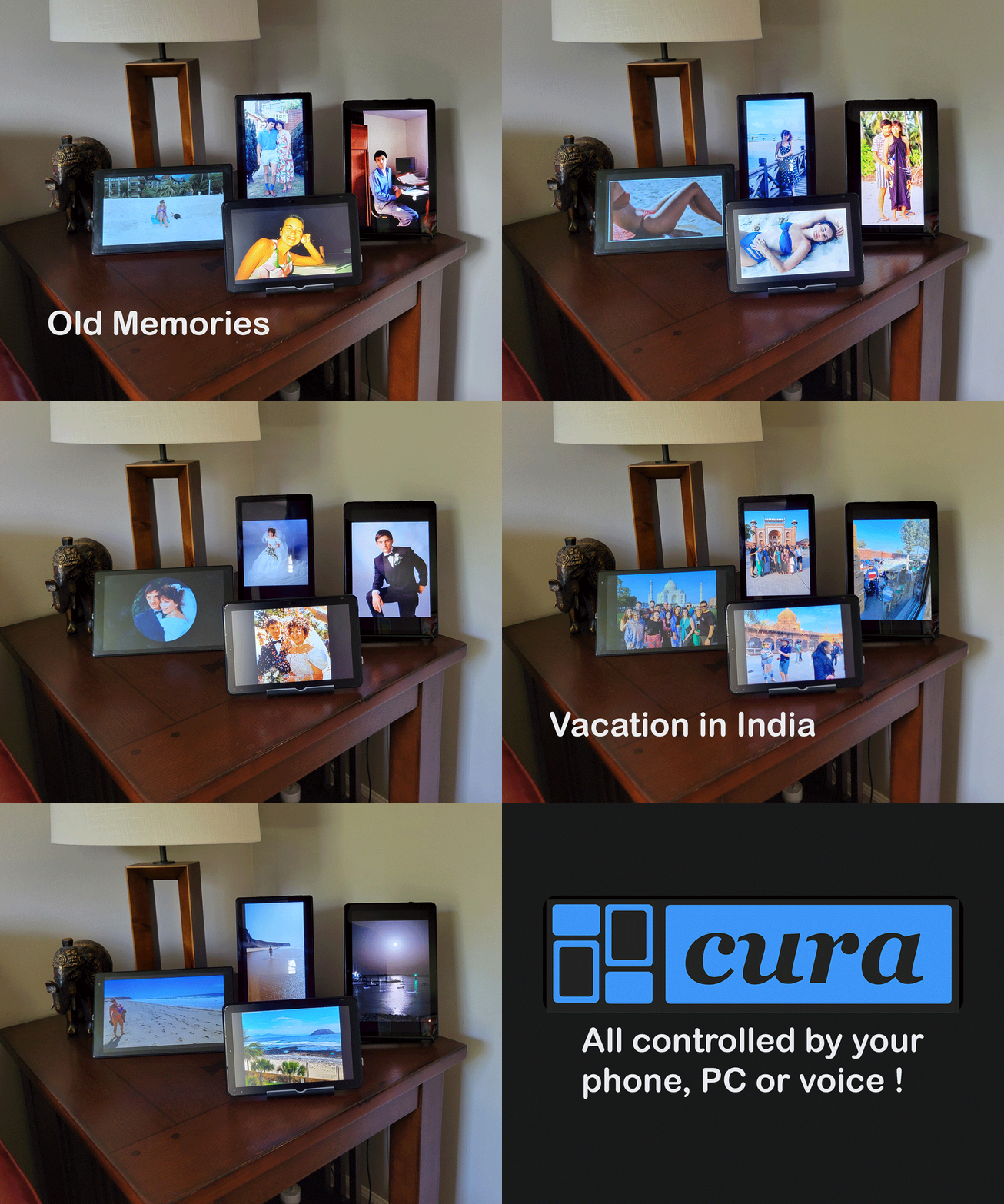
Cura enabled tablets as smart photo frames
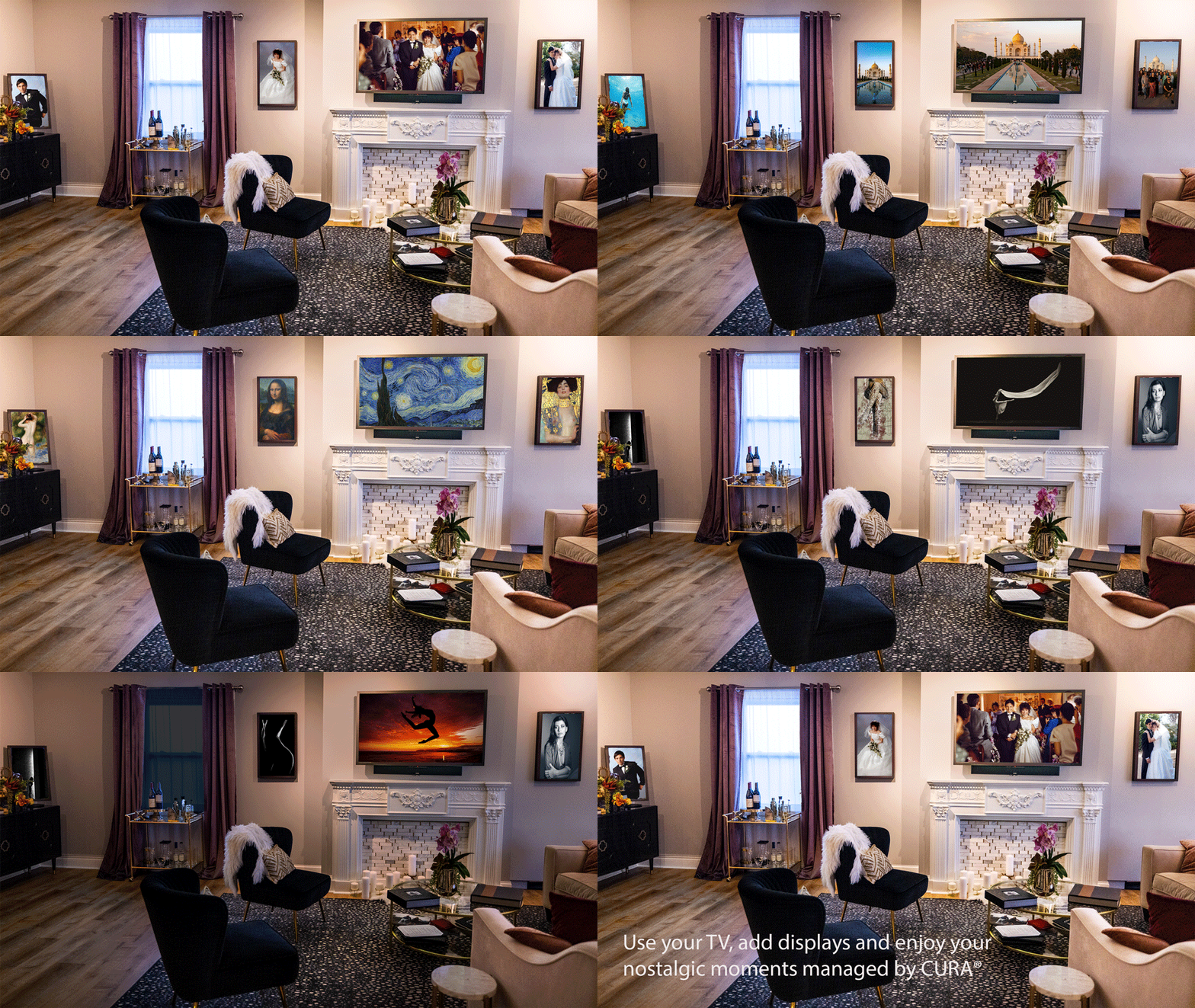
Cura used with TV and portrait monitors
Smart TVs with Built-in Platforms
No streaming stick needed – CURA runs directly on the TV.
Fire TV Edition TVs (Auto-Start Supported)
| Brand | Sizes | Starting Price | Notes |
|---|---|---|---|
| Amazon Fire TV | 32″ – 75″ | $150 | Amazon’s own brand |
| Insignia Fire TV | 24″ – 75″ | $70 | Best budget option |
| Toshiba Fire TV | 32″ – 65″ | $120 | Reliable mid-range |
| Pioneer Fire TV | 43″ – 50″ | $200 | Decent quality |
| Hisense Fire TV | 50″ – 58″ | $350 | ULED options |
Google TV / Android TV TVs (Auto-Start Supported)
| Brand | Sizes | Starting Price | Notes |
|---|---|---|---|
| Sony (Google TV) | 43″ – 85″ | $500 | Premium quality |
| TCL (Google TV) | 32″ – 85″ | $150 | Best value |
| Hisense (Google TV) | 43″ – 85″ | $200 | Bright panels, good HDR |
Roku TVs
| Brand | Sizes | Starting Price | Notes |
|---|---|---|---|
| TCL Roku TV | 32″ – 85″ | $130 | Best-selling Roku TVs |
| Hisense Roku TV | 43″ – 75″ | $200 | Good budget option |
Other TVs (Samsung, LG, Vizio, etc.)
Add a streaming stick ($15-60) to any TV with HDMI. Samsung Tizen native app coming soon.
Tablets
Perfect for tabletop displays, kitchen counters, nightstands – or as dedicated digital frames.
Fire Tablets (Best Value)
| Model | Size | Price | Notes |
|---|---|---|---|
| Fire HD 8 | 8″ | $80-100 | Nightstand, small spaces |
| Fire HD 10 | 10.1″ | $140-150 | Kitchen counter, desk |
| Fire HD 10 Plus | 10.1″ | $180 | Wireless charging, Show Mode dock |
Fire tablets auto-start CURA and have Show Mode – they work as plug-and-play digital frames.
iPad
Any iPad works with CURA. Best display quality, but no auto-start (use Siri shortcuts).
Tablet Accessories
| Accessory | Price | Purpose |
|---|---|---|
| 90-degree USB-C adapter | ~$8 | Cable exits sideways – cleaner look |
| Braided charging cable | ~$10 | Looks better than shiny plastic |
| Tablet stand | $15-40 | Turns tablet into photo frame |
Portrait Displays
CURA automatically detects portrait displays and serves portrait-orientation photos.
How to Set Up Portrait
- Monitors with pivot stands – Simply rotate the monitor
- Wall-mounted TVs – Mount rotated 90° using VESA mount
- Tablets – Set to portrait orientation in stand
Perfect for: Headshots, portraits, vertical photography, Instagram-style images
Automation & Smart Home
Auto-Launch on Power-On
| Platform | Supported | How to Enable |
|---|---|---|
| Fire TV | Yes | Enable in CURA Display settings |
| Android TV | Yes | Enable in CURA Display settings |
| Fire Tablets | Yes | CURA auto-launch setting |
| Roku | No | Must launch manually |
| Apple TV | No | Use Siri or Apple Home automations |
Voice Control
| Platform | Voice Command |
|---|---|
| Google Home | “Hey Google, open CURA” |
| Alexa | “Alexa, open CURA” |
| Siri | “Hey Siri, open CURA” |
Full Automation Setup
Combine CURA with smart plugs ($10-15) for fully automated displays:
- Smart plug turns on TV at 8am
- Fire TV / Android TV auto-launches CURA
- Photos display all day
- Smart plug turns off TV at 10pm
Monthly electricity cost: ~$3-5 for a 43″ TV running 12 hours/day.
Hiding Cables & Power Cords
Option 1: USB-Powered Streaming Sticks
Power your streaming stick from the TV’s USB port – no extra power brick!
| Device | USB Powered |
|---|---|
| TiVo Stream 4K | Yes – most reliable |
| Onn Streaming Devices | Yes |
| Fire TV Sticks | Usually (some older TVs need adapter) |
| Chromecast | Fussy – usually needs wall adapter |
Option 2: Cord Covers ($10-20)
Paintable cord covers run along wall to outlet. Available at any hardware store, 30 minutes to install.
Option 3: Recessed Power Outlet ($20-100)
Install a recessed outlet directly behind the display – the plug hides inside the wall cavity.
- DIY recessed outlet kit: $20-40
- In-wall power extension: $50-80
- Professional installation: $100-200
Option 4: Furniture Placement
Place displays where cords naturally hide – on shelves, entertainment centers, or desk stands.
Thin TVs for Wall Mounting
Want that flush, frame-like look on your wall? These TVs are under 1.5″ deep.
| Display | Depth | Price (43″) | Price (55″) | Platform | Best For |
|---|---|---|---|---|---|
| Samsung Q60D | ~1″ | $320-600 | $550-700 | Tizen* | Slim profile, USB powers stick |
| TCL QM6K QLED | Slim | <$400 | <$500 | Google TV | Best value, 144Hz |
| Hisense U6K | Thin | <$400 | <$500 | Google TV | Brighter, better HDR |
| Amazon Fire Omni QLED | Slim | ~$350 | ~$450 | Fire TV | Budget, Fire OS built-in |
| Samsung Frame | <1″ | ~$750 | ~$1,000 | Tizen* | Art mode aesthetic |
| HiSense CanvasTV | ~1″ | ~$1,300 | ~$1,800 | Google TV | Matte display, 1,000+ artworks |
| LG C4/C5 OLED | ~1.6″ | ~$900+ | ~$1,500+ | webOS* | Perfect blacks, premium |
*Use Fire TV Stick or Chromecast for CURA until native apps launch.
Samsung Frame vs. Alternatives
| Samsung Frame | Q60D + Stick | HiSense CanvasTV | |
|---|---|---|---|
| 43″ Price | ~$750 | ~$400 total | ~$1,300 |
| CURA Now? | Via stick | Via stick | Native (Google TV) |
| Art Mode | Yes ($5.99/mo) | CURA Gallery (free) | 1,000+ artworks (free) |
| Extra Box | One Connect required | None | None |
Pro tip: A Samsung Q60D with a TiVo Stream 4K powered from the TV’s USB gives you 90% of the Frame look at half the price – with no One Connect box and no cables showing.
Computer Monitors
Great for portrait displays, desk setups, or smaller spaces. Connect via streaming stick.
Portrait-Ready (with Pivot Stands)
| Model | Size | Resolution | Price | Notes |
|---|---|---|---|---|
| Samsung S43GC Series | 24″/27″ | 1080p | $130-175 | Pivot stand included, thin bezel |
| Samsung SR650 Series | 24″/27″ | 1080p | $190-220 | Great viewing angles |
| Samsung S80A | 27″ | 4K | $250 | 4K with pivot stand |
| Samsung LF22T350 | 22″ | 1080p | $150 | Budget, semi-matte |
Smart Monitors (Built-in Apps)
| Model | Size | Resolution | Price | Notes |
|---|---|---|---|---|
| Samsung M50D | 27″/32″ | 1080p | $250-280 | Built-in apps, ambient sensor |
| Samsung M70B | 32″ | 4K | $400-500 | 4K, USB-C hub |
Portable/Small Displays
| Model | Size | Resolution | Price | Notes |
|---|---|---|---|---|
| Elecrow (Raspberry Pi) | 10.1″ | 1080p | $135 | Tabletop with stand |
| InnoView Portable | 15.1″ | 1080p | $160 | Ultra slim |
Displays Controlled via Google Photos
Already have other photo displays? CURA can manage them too.
CURA publishes to a Google Photos album, and devices that sync with Google Photos display that content automatically.
| Device | Type | How CURA Controls It |
|---|---|---|
| Chromecast Ambient Mode | Screensaver | Best control – CURA manages timing |
| Google Nest Hub / Hub Max | Smart display | Photo Frame mode |
| Nixplay Frames | Digital frame | Google Photos sync |
| Aura Frames | Digital frame | Google Photos sync |
| Lenovo Smart Frame | Digital frame | Google Photos sync |
| Roku Backdrops | Screensaver | Google Photos link |
| HiSense CanvasTV | TV | Art mode via Google Photos, or run CURA natively (Google TV) |
How it works: CURA manages a Google Photos album → Your devices display from that album → You control everything from CURA.
This means CURA can manage content on devices that don’t even run CURA natively. One app to rule all your displays.
Note: Video is not supported via Google Photos publishing – use CURA native apps for video playback.
Recommendations by Use Case
Bedside / Nightstand (~$100)
- Fire HD 8 tablet ($80) + stand ($15)
- Auto-starts, perfect size
Kitchen Counter (~$150)
- Fire HD 10 tablet ($140) + 90-degree USB adapter ($8)
- Shows recipes, family photos, morning news
Family Home (2-5 displays, ~$300-600)
- Living room: 43-55″ Fire TV or Google TV ($200-400)
- Kitchen: Fire HD 10 tablet ($140)
- Bedroom: 32″ smart TV or tablet ($100-150)
- CURA tier: HOME ($5.99/mo)
Portrait Art Display (~$260)
- Samsung SR650 27″ monitor with pivot ($220)
- TiVo Stream 4K ($40) – USB powered from monitor
- Rotate to portrait, mount on wall or use stand
Premium Wall Art (~$400-750)
- Samsung Q60D 43″ (
$400) or Samsung Frame ($750) - Low-profile mount (~$25)
- Recessed power outlet (~$40)
- Fire TV Stick powered from TV USB
- Result: Under 2″ from wall, zero visible cables
Photography Studio (4-10 displays, ~$800-2,000)
- 4-6 monitors with pivot stands (portrait + landscape)
- 1-2 larger TVs for waiting area
- Mix sizes for visual variety
- CURA tier: HOME+ ($14.99/mo) or PRO ($44.99/mo)
Business/Club (5-20 displays, ~$1,500-5,000)
- High-traffic areas: 50-65″ commercial displays
- Offices: 32-43″ smart TVs
- Reception: Fire tablet
- Smart plugs for automated on/off
- CURA tier: PRO ($44.99/mo)
Frequently Asked Questions
What’s the minimum I need to get started?
Just download CURA on any device you already have. If your TV has Roku, Fire TV, Apple TV, or Android/Google TV built in, you’re ready. If not, a $15 Onn streaming stick adds CURA to any TV with HDMI.
Do I need a specific brand?
No. CURA works across all major platforms. Buy whatever fits your budget and aesthetic.
What about image quality?
CURA streams at full resolution. Image quality depends on your display – 4K displays look amazing, but 1080p looks great too.
Can I mix different platforms?
Yes. Your CURA account works across all platforms. Mix Roku, Fire TV, tablets, and Apple TV in the same home.
Do displays need to stay connected to WiFi?
Yes, for streaming. If WiFi drops, CURA displays the last loaded image and reconnects automatically.
What about Samsung Frame and HiSense CanvasTV?
Both work with CURA:
- Samsung Frame: Use a Fire TV Stick plugged in (native Tizen app coming soon)
- HiSense CanvasTV: Runs CURA natively via Google TV – best experience
Can CURA control my Nixplay or digital frame?
Yes! CURA can push content to any device that displays from Google Photos albums. Link your Nixplay, Nest Hub, or Roku Backdrops to a CURA-managed album.
Ready to Get Started?
Works on any screen. No credit card required.
Questions? Contact support@curatortec.com
Note: 1. We use the latest established secure account practices to secure your data, all data and images use encrypted SSL for data transmission
Note: 2. We use and have been verified by Google and other appropriate sources, to secure and manage your data. Our privacy and use policies are aligned with the use and terms of the image/data provider.