
Steps to Setup your TV as a Cura Display
Step 1
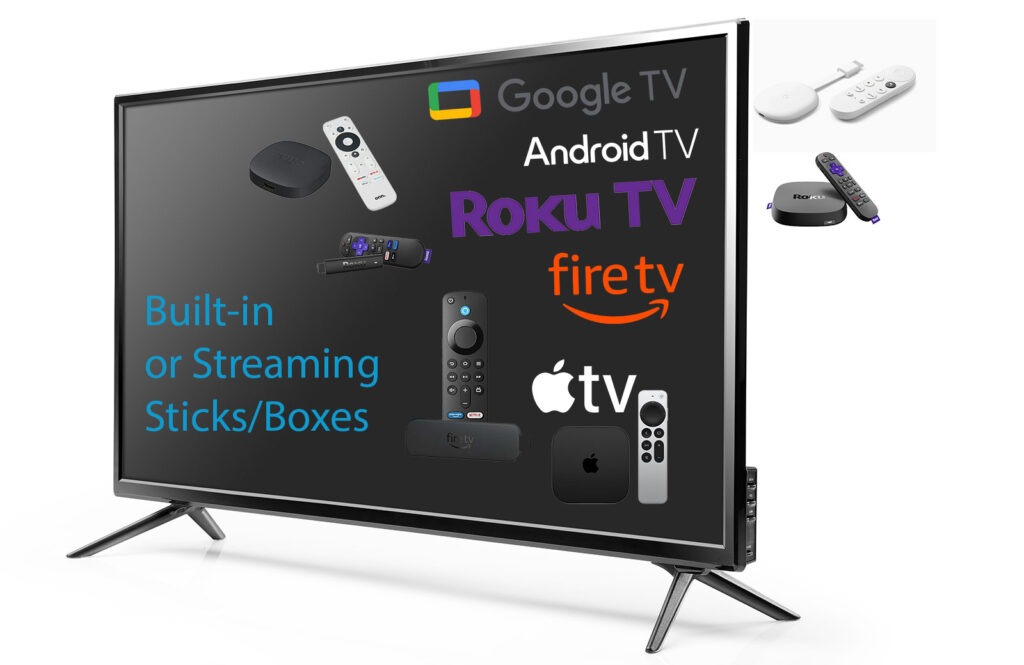
Do you already have a compatible TV or Streaming Device ?
If you already have a TV or streaming devices that supports Google TV, Android TV, Fire TV, Roku or Apple TV , go on to Step 2. If not click the button below to get some choices on devices that can connect to your TV (or computer monitor) via its HDMI port. You can find a device for less than $20 US.
Step 2
Find and install the Cura Display App
Begin by going to your device’s app store, searching for “Cura Display” and downloading it.
It’s available for at Google Play Store, Amazon’s App store, Roku and Apple TV’s app store.
Check out the videos –> if you need some guidance.
Cura Display app Install
Step 3
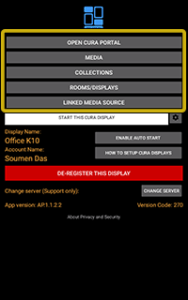
Register your Cura Display to your CURA cloud account and display your images or art from the CURA Gallery.
Use the Mobile Cura Display App to connect to manage your new display or use any browser to connect to your account at : curapp.io
Use mobile app to manage

Common Questions About Cura App
Explore answers to the most common questions about setting up your TV with the Cura App.
How do I start the setup process with Cura App?
To begin, download the Cura App from your device’s app store, open it, and follow the on-screen instructions to connect your TV.
Is the Cura App compatible with all TV brands?
Yes, the Cura App is designed to work with a wide range of TV brands and models, ensuring a seamless setup experience.
Can I manage multiple TVs with one Cura App account?
Absolutely! The Cura App allows you to manage multiple TVs from a single account, providing you with centralized control.
What should I do if I encounter issues during setup?
If you experience any issues, please refer to our troubleshooting guide within the app or contact our support team for assistance.
Is my content secure when using the Cura App?
Yes, Curator Technologies prioritizes your privacy and security, ensuring that all your content is securely managed through our platform.
How can I update the Cura App?
Updates for the Cura App are automatically pushed to your device. Ensure your device settings allow for automatic updates to receive the latest features and improvements.