
 cura®
Your family’s best photos, on every screen you own
Whether you have 1,000 photos on your phone or 10,000, Cura AI picks and curates around 500 of your best moments. It runs on your phone, you can review any pick, and CURA® shows them on your TV, tablet and frames.

iPhone, iPad and Android. Start free with 4 phones and 1 display.
Private by design
The scan happens on your phone. Nothing uploads while Cura AI works, and your originals stay on your phone.
You decide
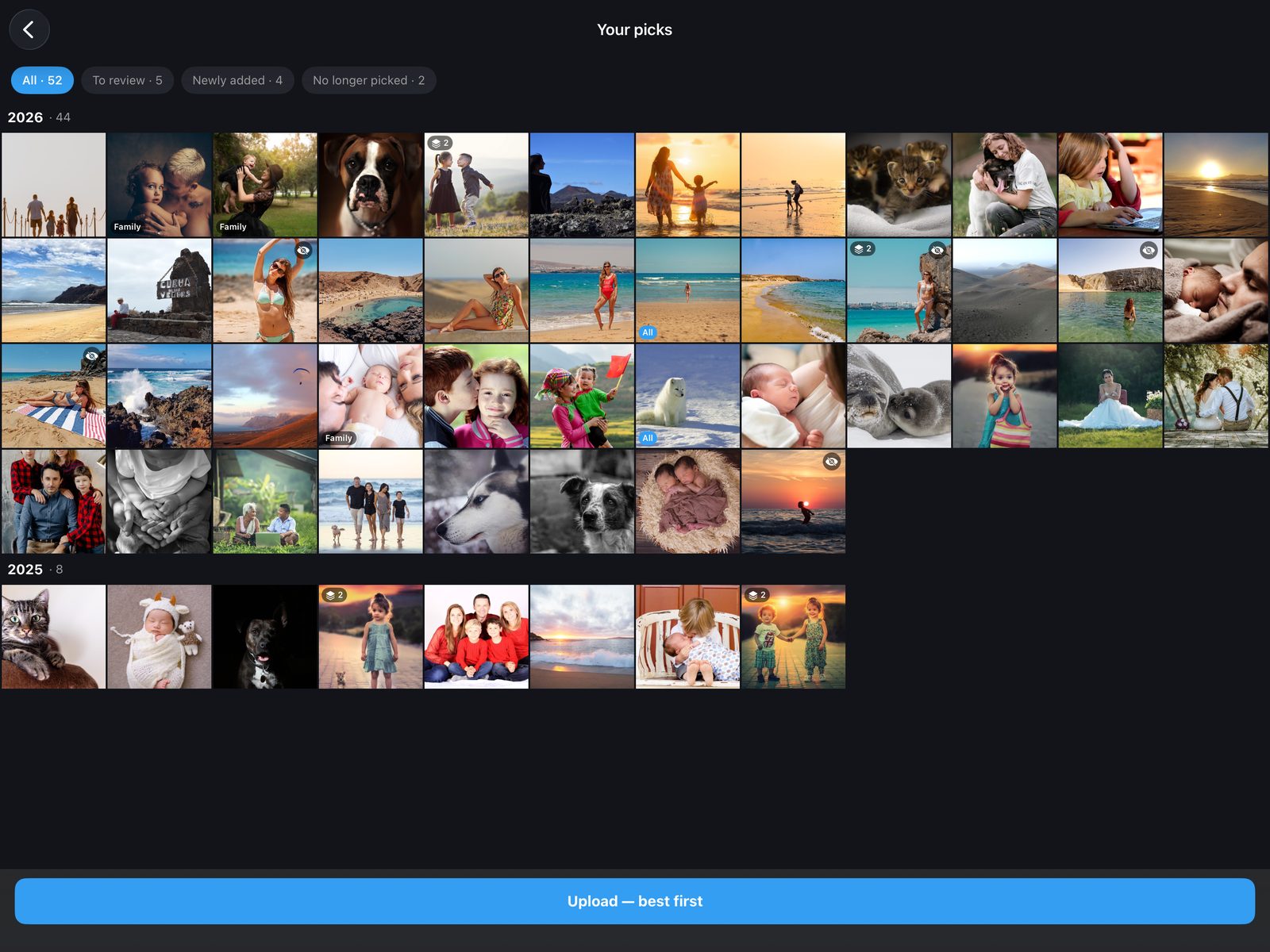
Review any pick before anything uploads. Remove a photo, swap in a better shot of the same moment, or add one it set aside.
No clutter
Duplicates, screenshots, receipts and messaging-app images are set aside automatically.
Thousands of phone photos. Your best, on your TV.
Four steps, all from the CURA app on your phone.
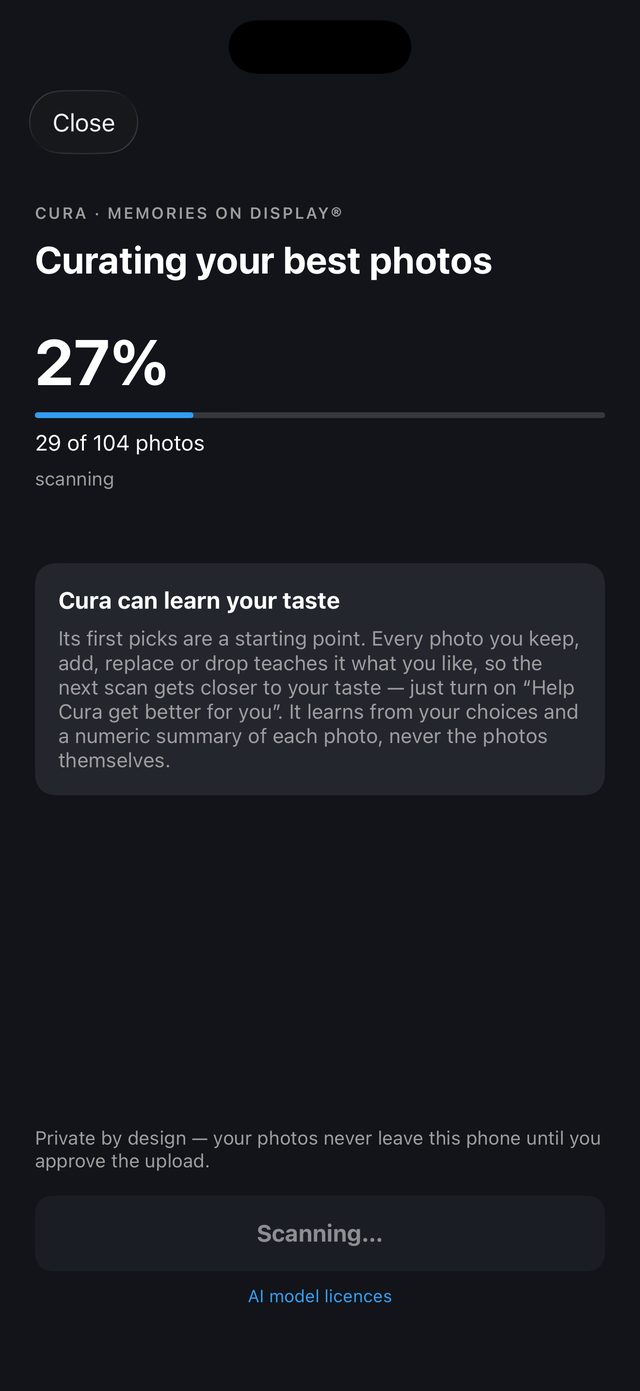
Scan, on your phone
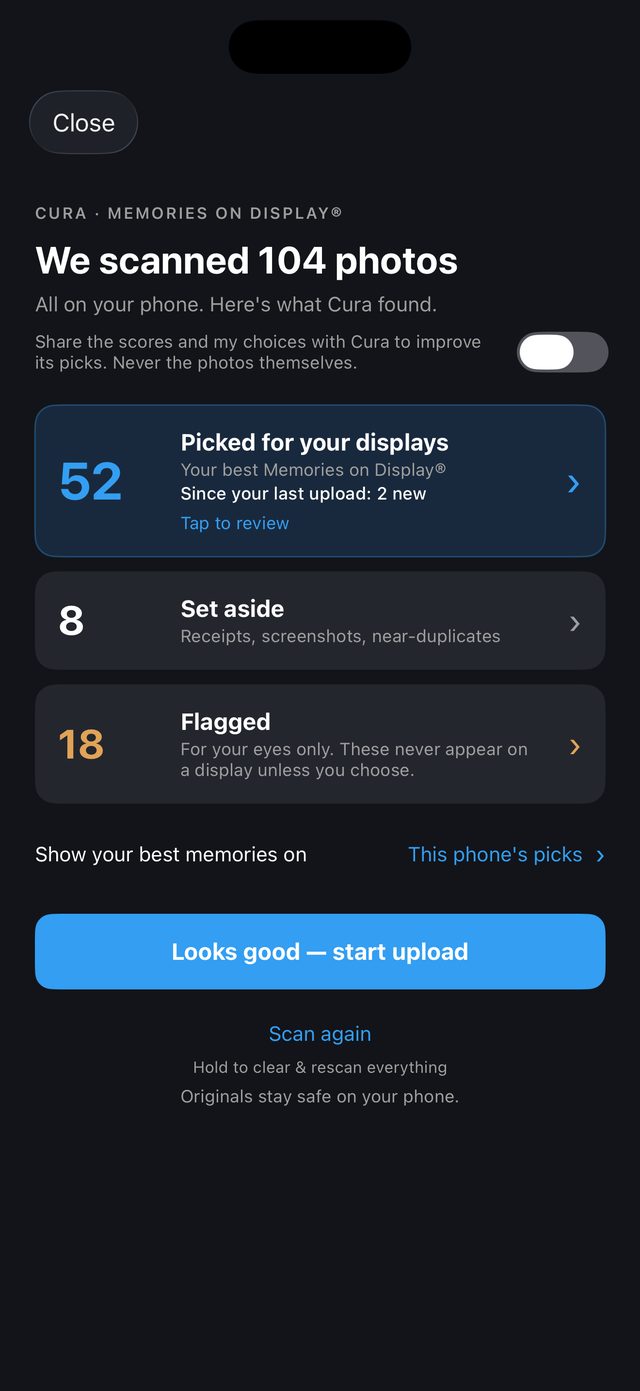
Tap Sync Albums & CURA AI. Cura AI looks through your whole photo library without uploading anything.
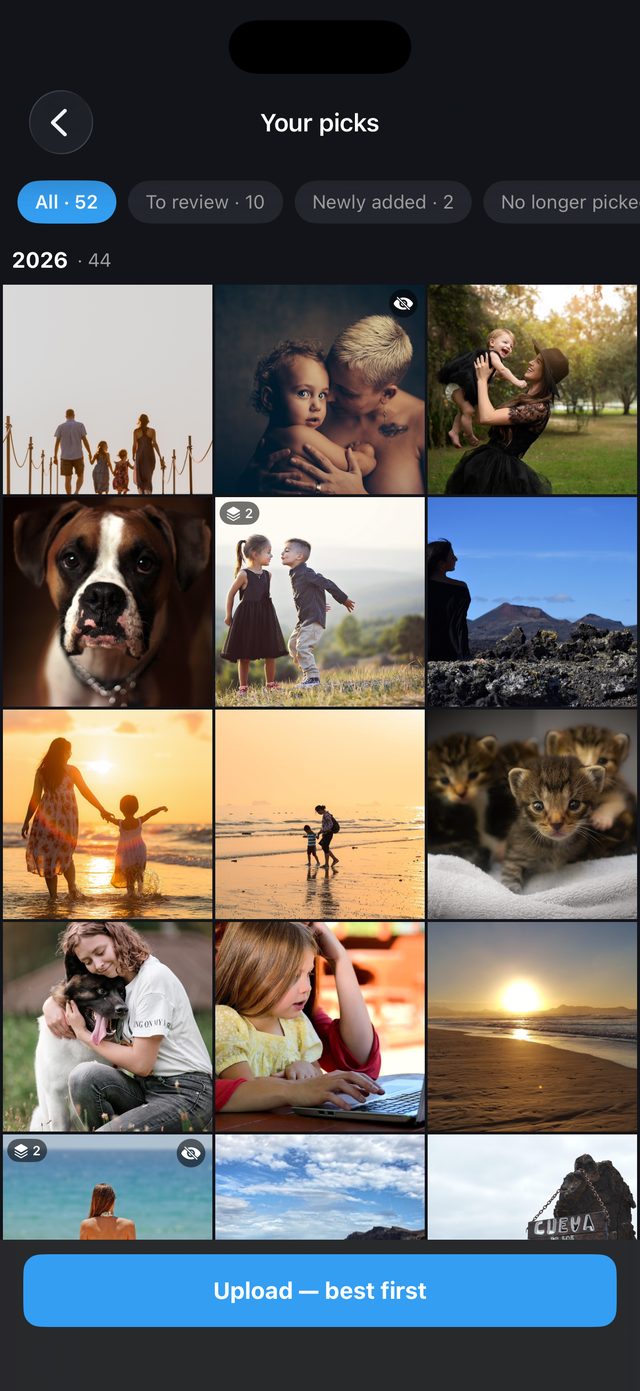
Review your picks
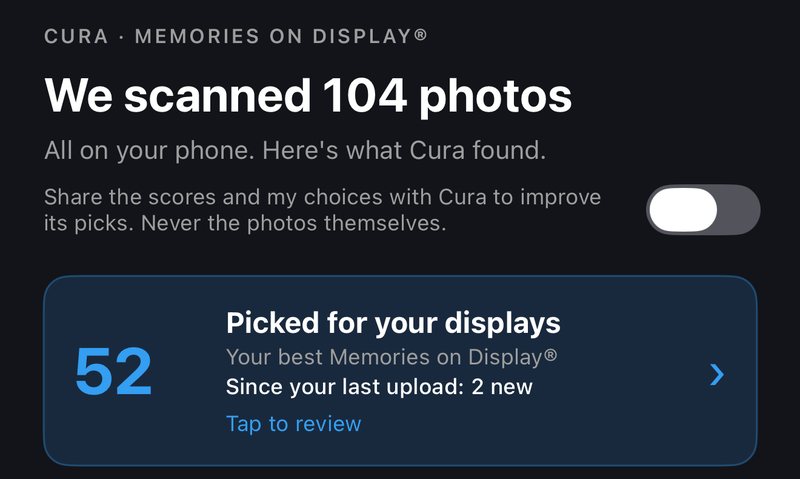
See the people, places and occasions worth seeing every day. Keep, remove or add, and see what’s new since your last upload.
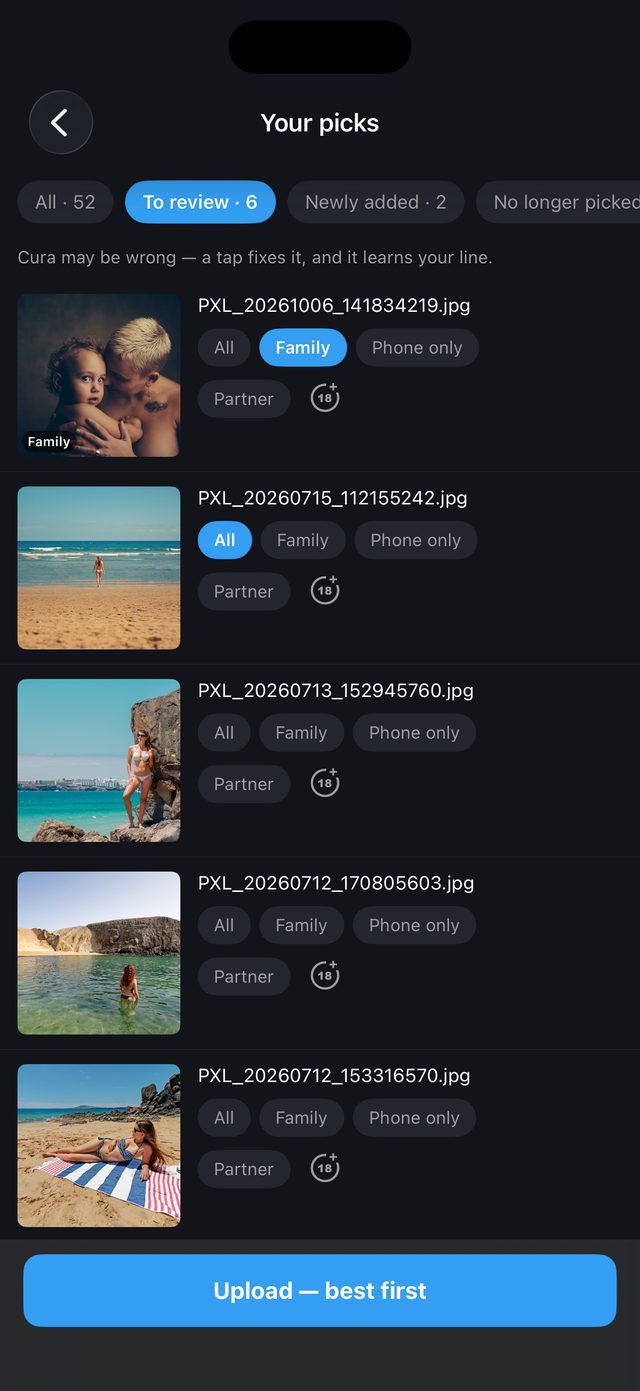
Choose who sees what
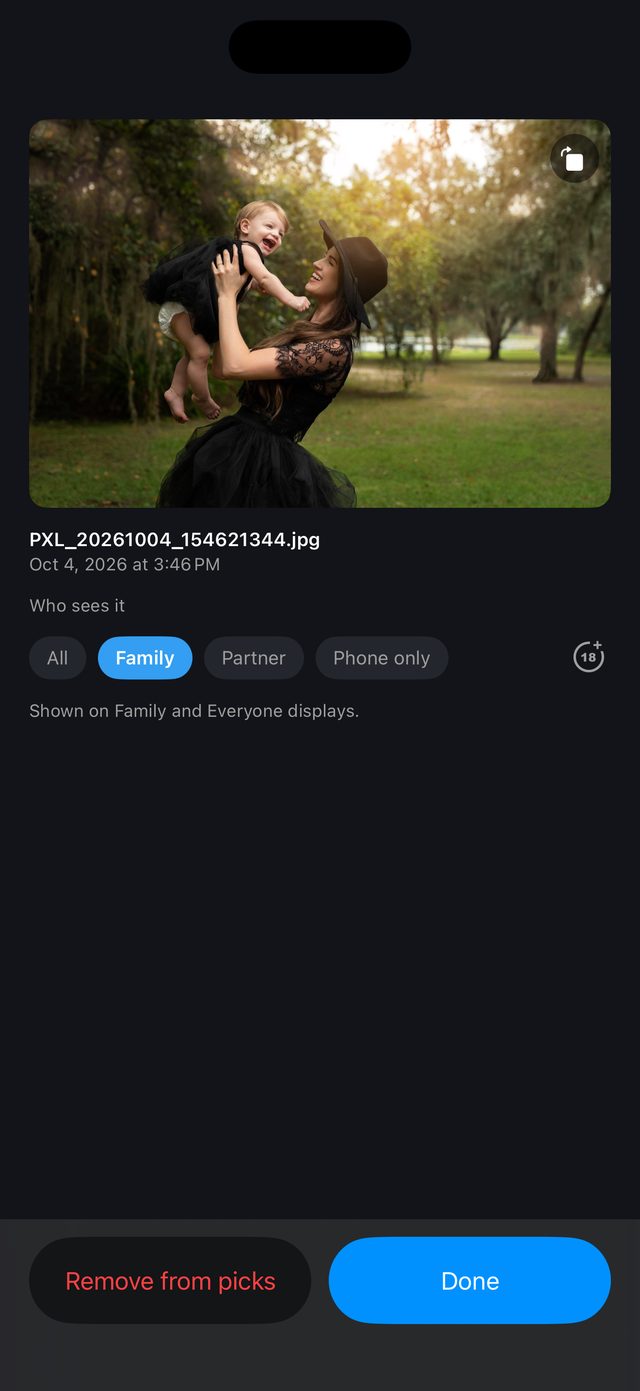
Set each photo for everyone, family, a partner, or keep it on your phone only. Sensitive photos are flagged for you to decide.
Show them everywhere
Approve the upload. Your best photos go up first, so your displays improve from minute one.
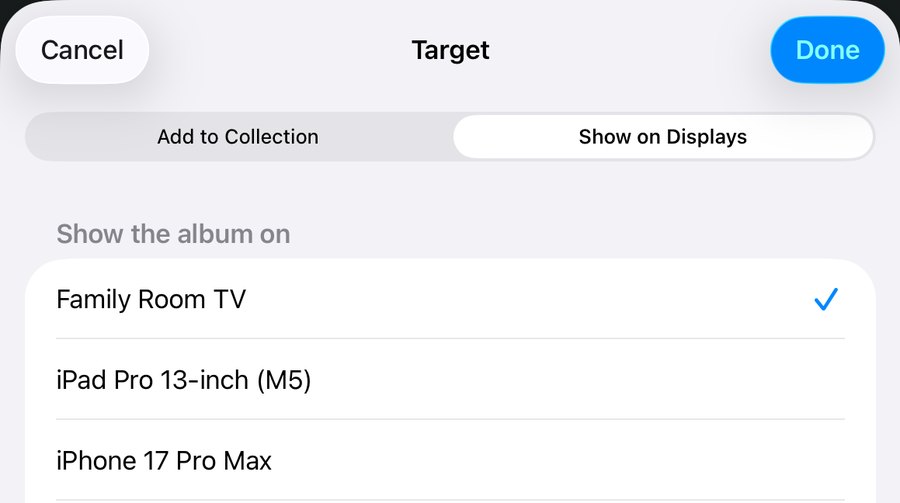
Pick the TVs, and they take it from there
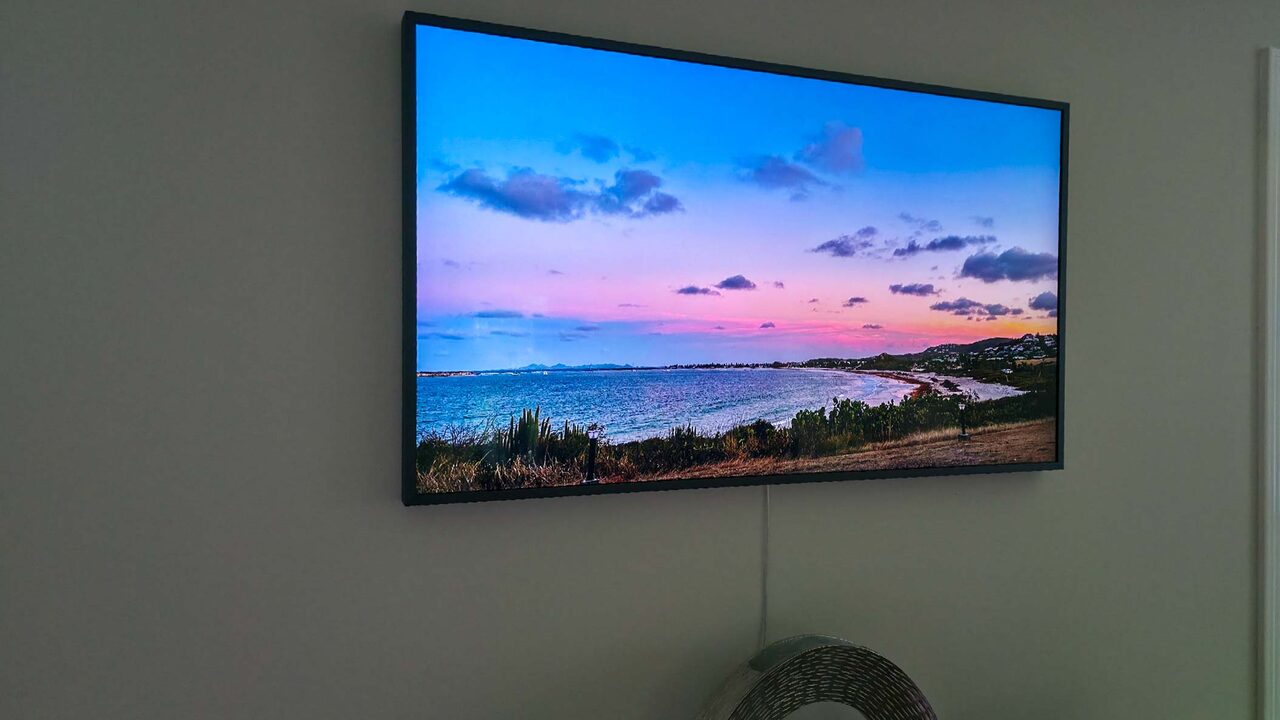
Before you upload, tap Show your best memories on and tick the displays that should show your picks: the living-room TV, a frame in the hall, a tablet in the kitchen.
- Your picks become their own collection, named after your phone, so every family member’s picks stay separate and can play together.
- Always up to date: after each scan and upload, the collection matches your latest picks. New picks appear and dropped ones leave, with nothing to rearrange.
- Each screen shows only what suits it: a display for everyone shows photos you set for All, a Family display adds Family photos, and Partner photos appear only on displays you allow.
- Change it any time in the app, or from any browser at curapp.io, where you can also add your picks to other collections and rooms.
Cura AI gets better the more you use it
Its first picks are a starting point. Every photo you keep, add, swap in or remove teaches Cura AI your preferences, so each new scan gets closer to the photos you love.
- Your choices teach it: what you keep and remove, the frame you choose from a burst, and who you share each photo with.
- You’re in control: it learns only if you turn on “Share the scores and my choices”. It’s off until you do, and you can turn it off at any time.
- Never your photos: it learns from your choices and a numeric summary of each photo, never the photos themselves.
- Tell it how it did: rate a scan with a quick star rating.
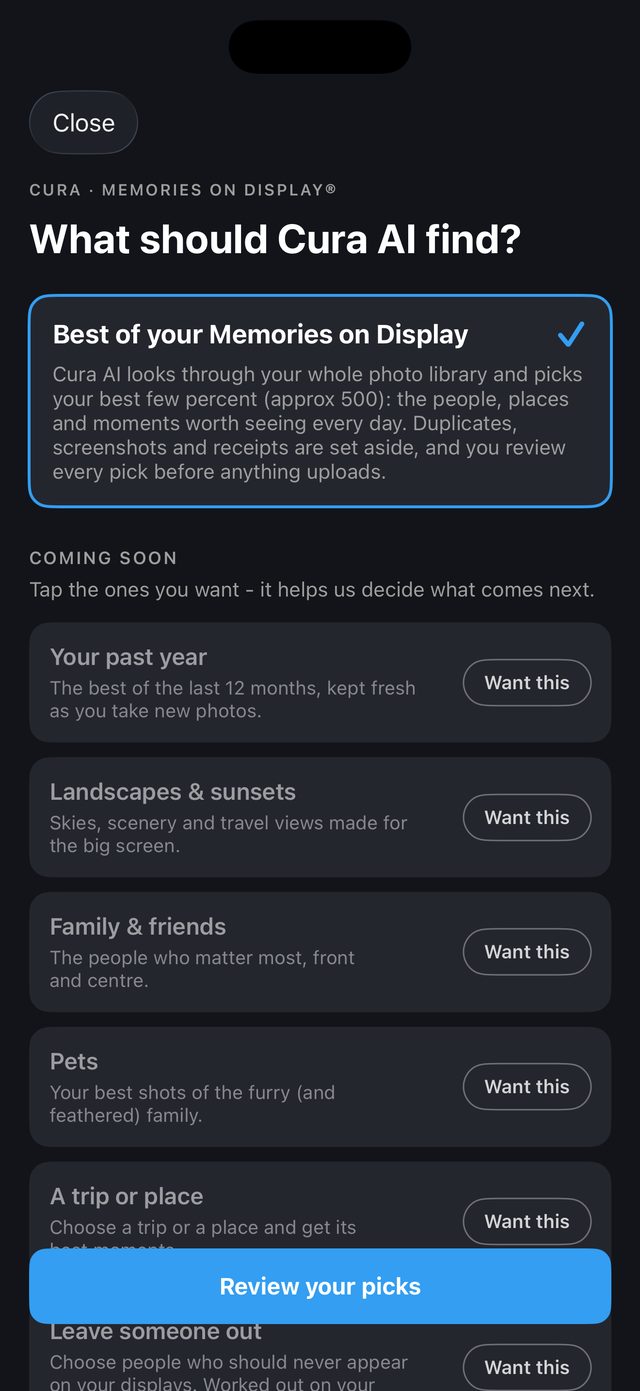
Tell Cura AI what to find for you
Today Cura AI finds the best of your whole library. More ways to curate are on the way, and you help decide which come first: open Cura AI, tap Want this on the ones you’d use, and rate each scan to tell us how it did.
Coming soon. The ones you ask for most come first.
The best moments from every phone in the family
Most of us have thousands of photos on our phones, and so do our partners and families. The best moments rarely make it off them.
- Run Cura AI on each phone on your account, iPhone or Android. Everyone’s picks come together on the same screens.
- Your whole iCloud Photos library on iPhone and iPad, including photos kept in iCloud. Cura keeps only a small summary of each one, never the photos.
- Same moment, best frame. Bursts and near-duplicates are grouped, and you can keep another frame or use it instead.
On the TV you already own
Your picks become a collection you can show on any of your displays.
- Google TV, Android TV, Fire TV, Roku, Samsung TVs and Apple TV.
- iPads and Android tablets as smart frames, and monitors through any HDMI player.
- Manage it all from the app, or from any browser at curapp.io.
The best of the best, from the whole family
Cura AI picks and curates the best of each person’s phone photos. CURA’s Best-Of collections, such as Latest & Best and Best of my Favorites, then curate the best of the best from everything in your CURA library, refreshed every week.
Robust display management for shared spaces
Offices, lobbies, shops, hospitality and galleries use the same app: many displays grouped into rooms, collections spread across them by orientation, content filters per room, and remote management from any browser.
Good to know
How many photos does Cura AI pick?
Around 500. It picks about a fifth of the photos it scans, plus at least one from days that would otherwise be missed, so very large libraries get a few more and smaller ones fewer.
What gets uploaded?
Only the picks you approve. The scan runs on your phone and nothing uploads while it works. Approved picks are stored in your CURA account so your displays can show them. Your originals stay on your phone.
How long does a scan take?
The first scan reads your whole library once, roughly 5 minutes per 1,000 photos, so a 10,000-photo library takes about 50 minutes, and it’s quicker for photos stored on the phone. On Android it carries on in the background; on iPhone and iPad keep CURA open, and anything left finishes overnight while your phone charges. After that, new scans take seconds.
Do my picks stay fresh?
Fresh, not frozen. Run Cura AI again any time: in seconds it re-checks your library, adds your newest best moments and retires older picks, and your screens follow. CURA’s Best-Of collections refresh every week on their own.
Does it use my phone’s storage?
Very little. Cura keeps a small summary of each photo, never copies of the photos. On iPhone, photos kept in iCloud are fetched to be looked at, and iOS frees those copies when it needs the space.
Does Cura AI learn what I like?
Yes, if you want it to. Turn on “Share the scores and my choices” and every keep, removal and swap teaches Cura AI your preferences, so each scan gets closer to your taste. It learns from your choices and a numeric summary of each photo, never the photos themselves, and it’s off until you turn it on.
Which phones does it work on?
iPhone and iPad from the App Store, and Android phones and tablets from Google Play.
What does it cost?
Getting started is free: 4 phones and 1 display are included. New accounts also get a 30-day CURA Home trial, no card needed. See plans.
Let Cura AI find your best photos
It runs on your phone, and nothing uploads while it works.